
IsoFind Projects
Projects are the centre of IsoFind's algorithmic guidance system. By defining specific objectives and constraints, you allow the engine to evaluate the robustness of your database and guide you towards optimal scientific use.
Creating a Project
To create a new project, click on the empty project icon in the dashboard. A dedicated interface opens to configure the objectives, study context, level of requirement and associated analytical constraints.
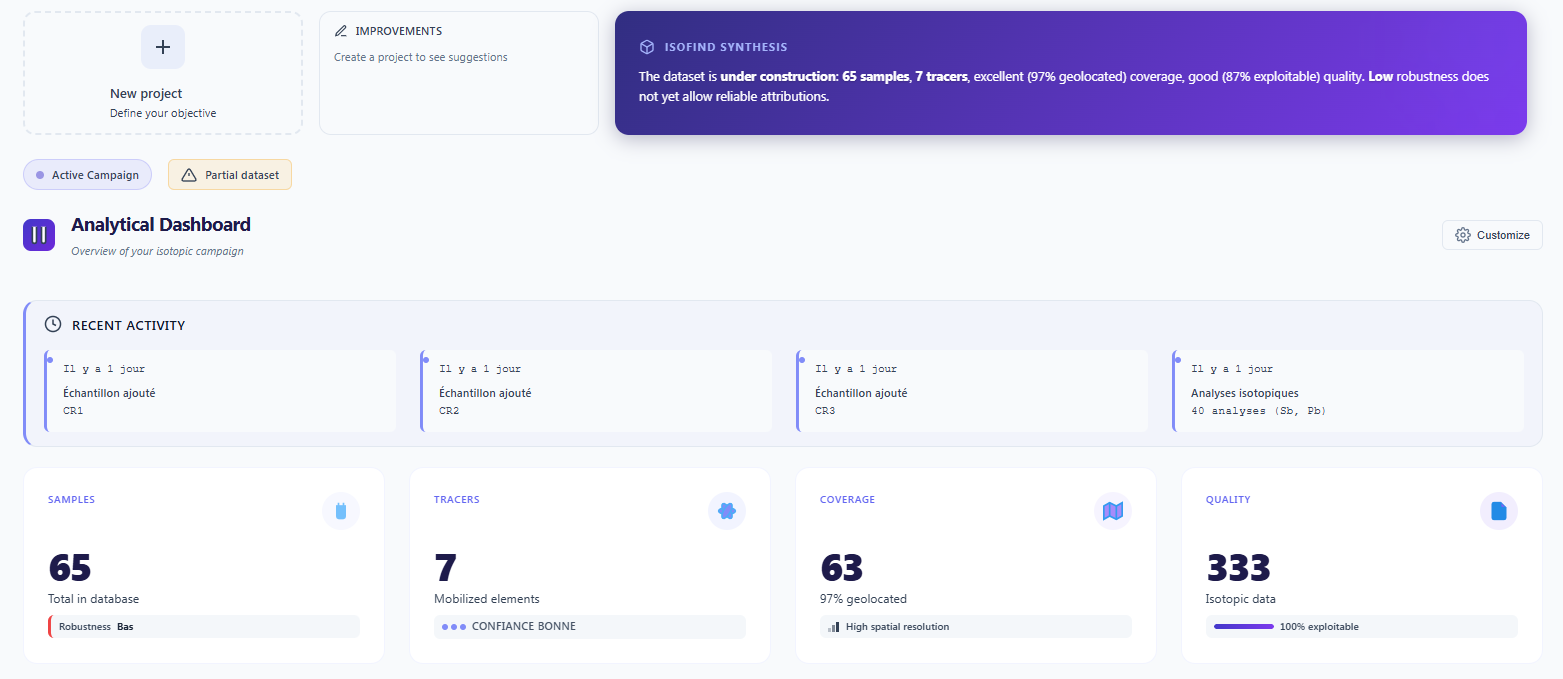 Figure 1: Dashboard interface for project initialisation.
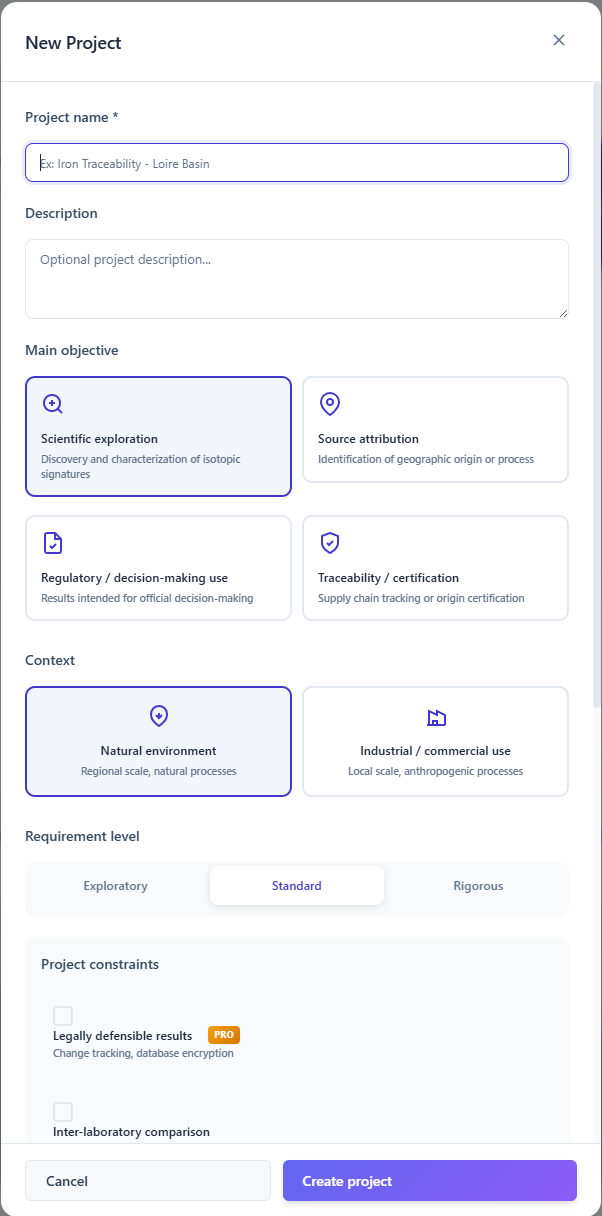
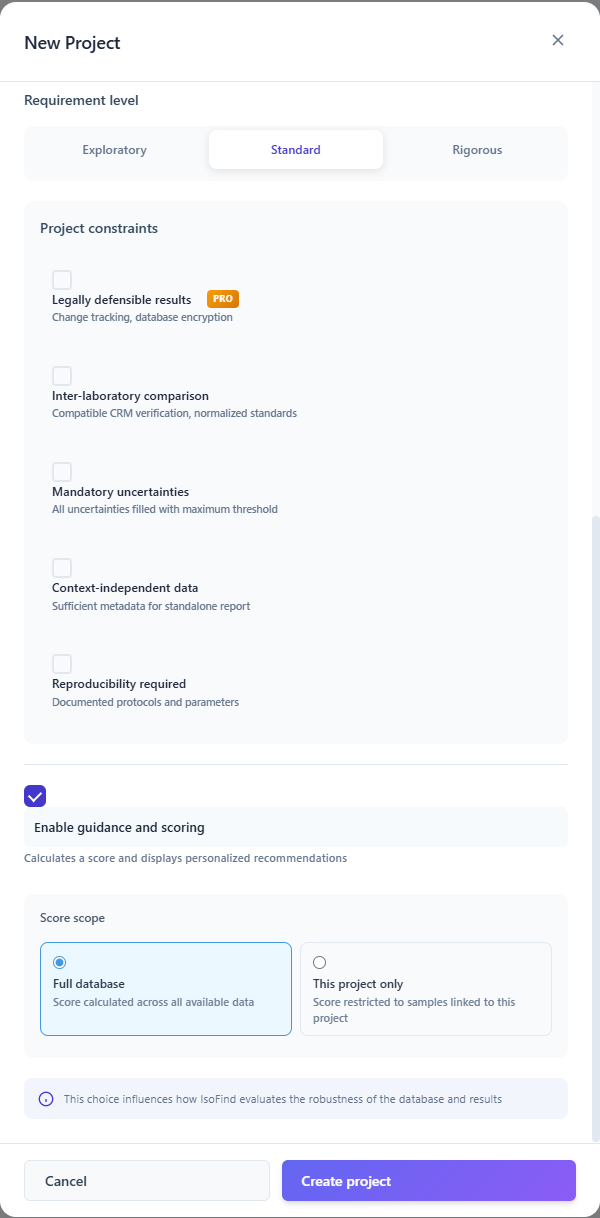
The project name isofind_exemple is reserved for the demonstration dataset provided by the software. Using it for a real project would produce scores mixing your data with the training data.
Scoring and Algorithmic Guidance
Once the project is configured, the guidance engine evaluates the maturity of your database across three critical phases:
| Phase | What is evaluated |
|---|---|
| 1. Constitution | Initial density and representativeness of samples: geographic coverage, matrix diversity, number of measurements per element. |
| 2. Consolidation | Internal consistency of the database and reduction of analytical uncertainties: protocol homogeneity, presence of CRMs, standard normalisation. |
| 3. Exploitation | Final validation for predictive models and geochemical conclusions: overall robustness score, absence of untreated outliers. |
Score calculations can be restricted to only the samples linked to the active project (the "Project" field matching the exact project name), or extended to the entire database. This choice is made in the guidance settings.
Robustness Score and Improvement Areas
IsoFind assigns a robustness score out of 100 to the active project. This score is not static: it evolves in real time according to the quality and density of the data. Click the Improvements panel to access the full audit detail.
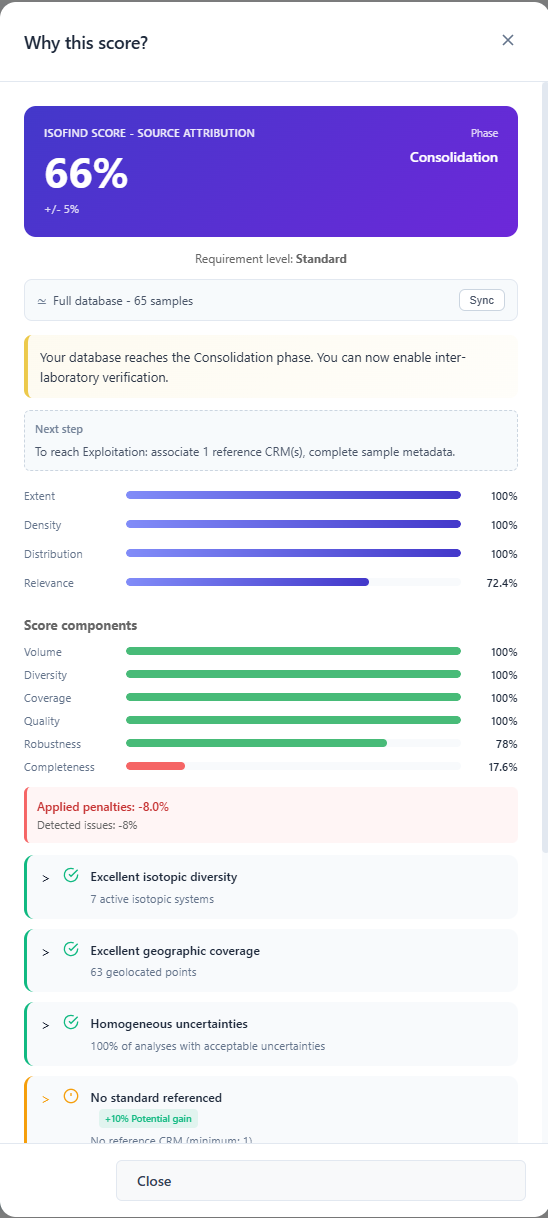 Figure 4: Robustness score detail and algorithmic recommendations.
The engine identifies concrete, actionable improvement areas directly from the interface (e.g. defining a reference standard, adding CRM analyses). These recommendations guide you towards advancing to the next phase (Consolidation or Exploitation).
Multi-Project Management
IsoFind allows multiple projects to coexist within the same database. Only one project can be set as Active at a time, in order to focus guidance and scoring calculations on a specific scope.
File
→
Manage projects
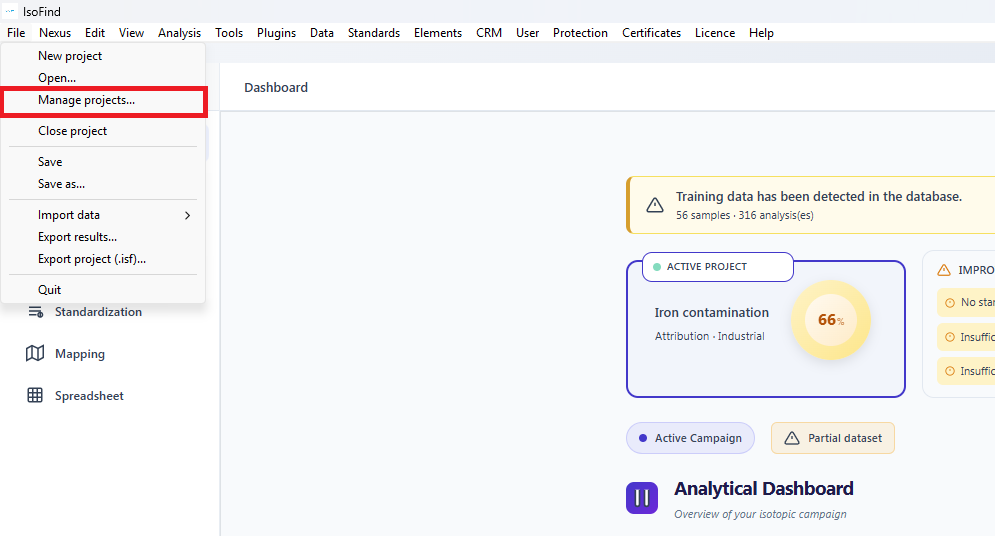 Figure 5: Accessing the centralised project management module.
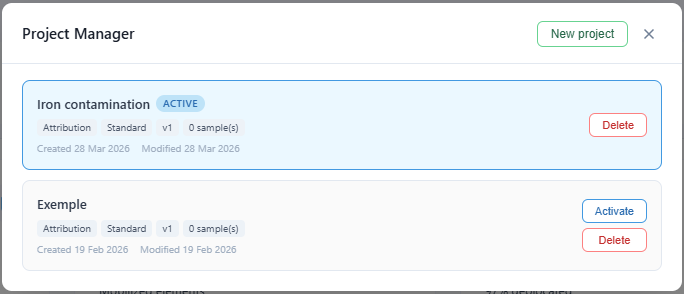 Figure 6: Management interface: creation, deletion and switching of the active project.
For a sample to be counted in a project's statistics, its Project field must match the active project name exactly (case-sensitive).