Thursday, 2 April, 2026

Exporting Data
IsoFind offers several export methods depending on your needs: quick CSV extraction for spreadsheet use, configurable export with filters, and the .isof format for certified scientific exchanges with complete analytical traceability.
Exports are saved by default to the system's Downloads folder. This behaviour ensures restricted access to the filesystem and prevents accidental overwrites in working directories.
Quick CSV Export
The most direct method for retrieving a batch of data without specific filtering.
Data
→
Manage samples
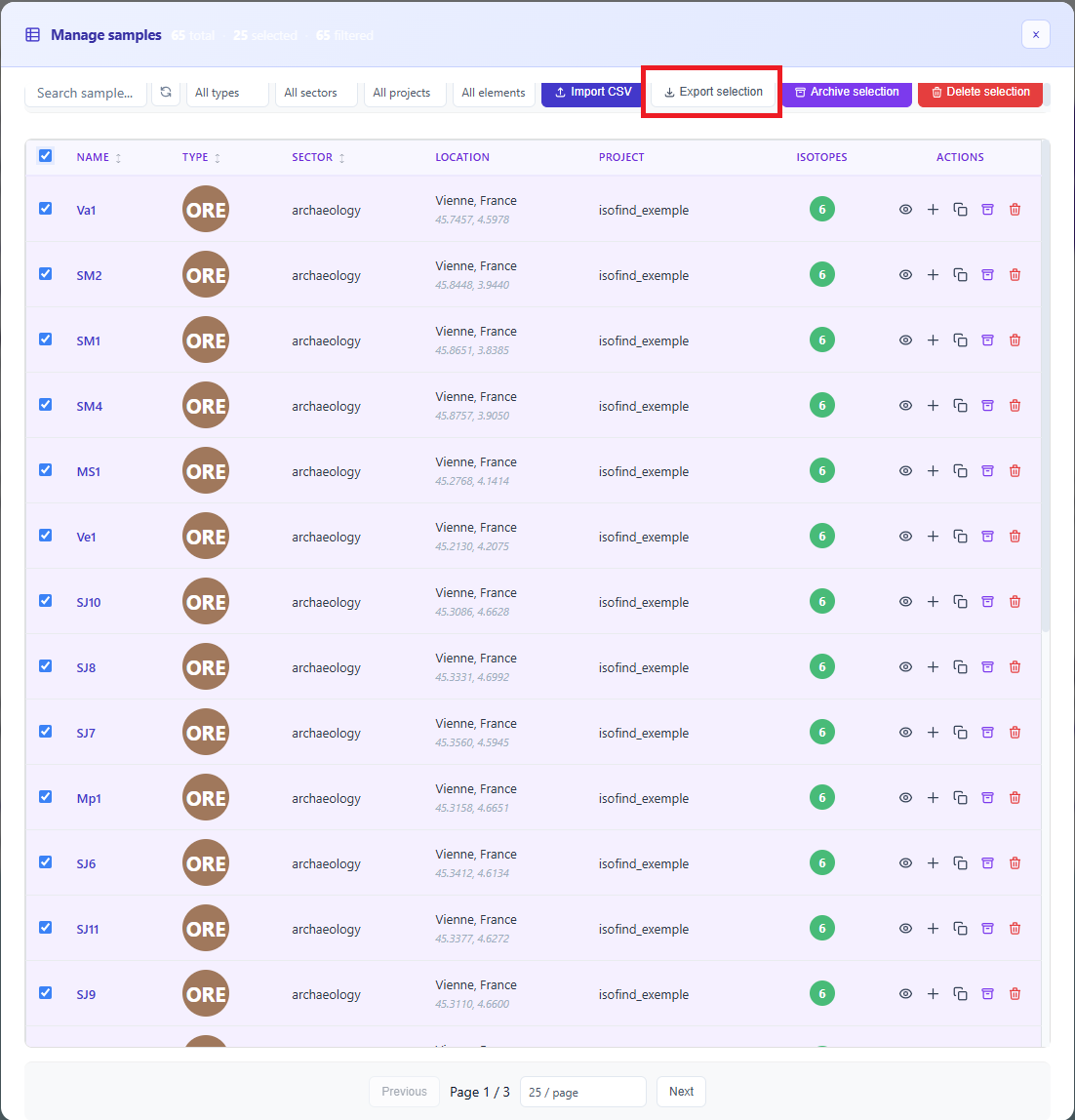 Figure 1: Batch export interface with multiple selection.
Select the desired rows then click Export selection. The software instantly generates a CSV file containing all database fields for the chosen samples.
Advanced CSV Export
For more specific needs, the Database tab provides access to a configurable export engine.
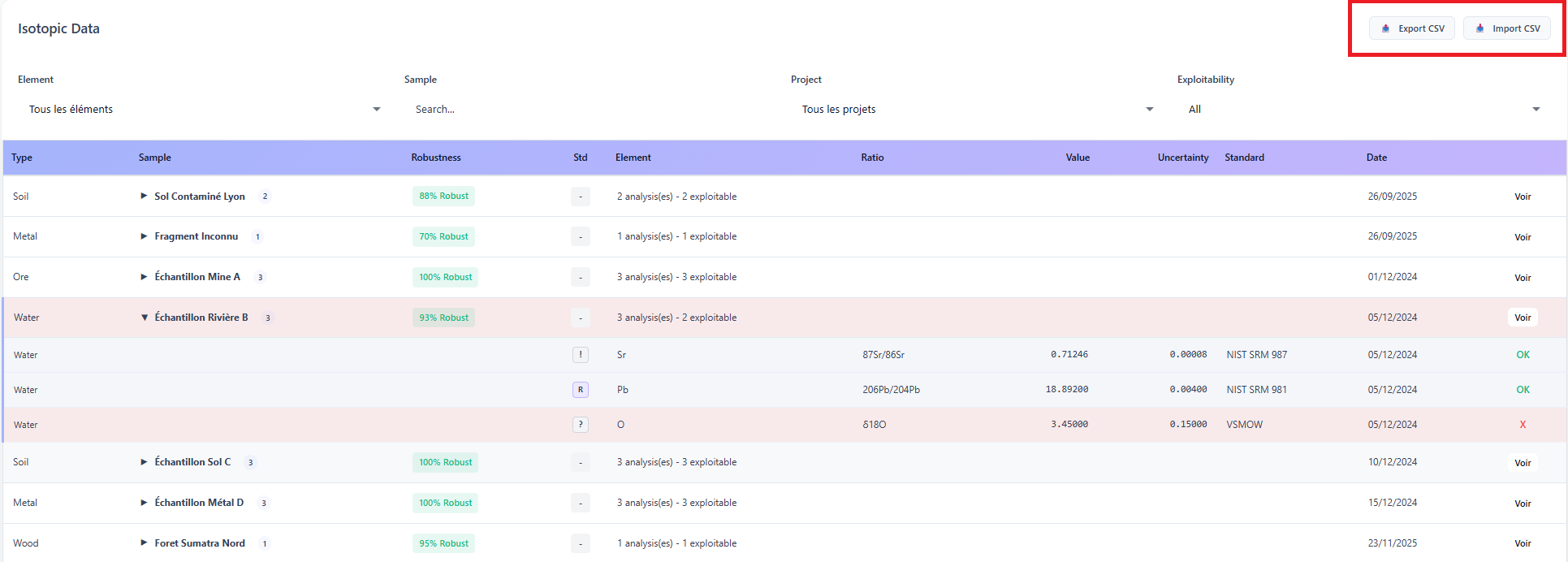 Figure 2: Accessing the advanced export module from the main table.
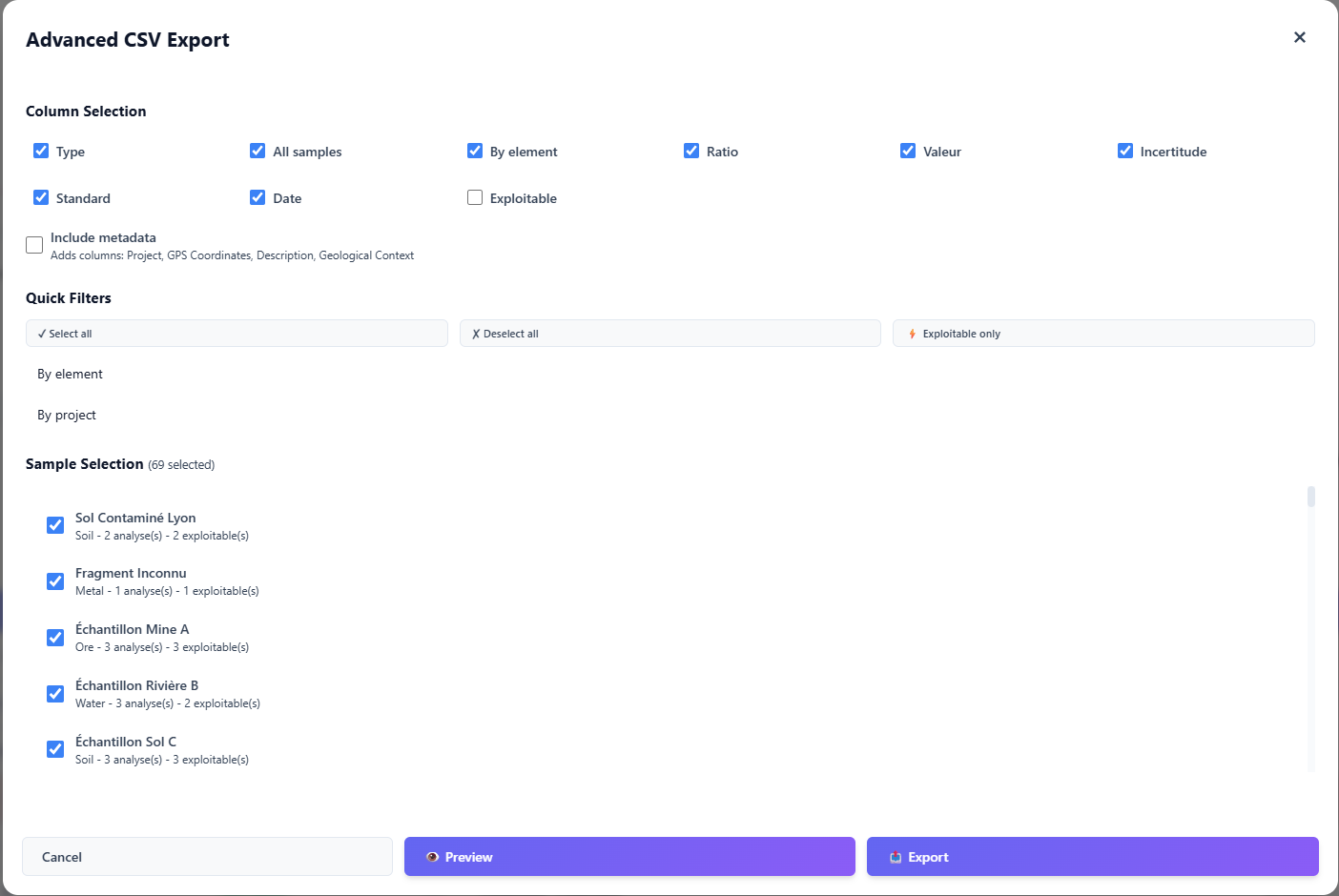 Figure 3: Advanced export parameter configuration.
The advanced export offers three complementary options:
- Column selection: choose precisely which fields (metadata, ratios, uncertainties) to include or exclude from the output file.
- Quality filter: automatic exclusion of samples flagged as unusable by the analysis engine.
- Batch shortcuts: immediate selection of all samples linked to a specific project or chemical element.
Quick .isof Export
The .isof format is IsoFind's native standard for high-value data exchange. Unlike CSV, it encapsulates the complete scientific context: purification yields, analytical methods and applied protocols.
Certificates
→
Export .isof
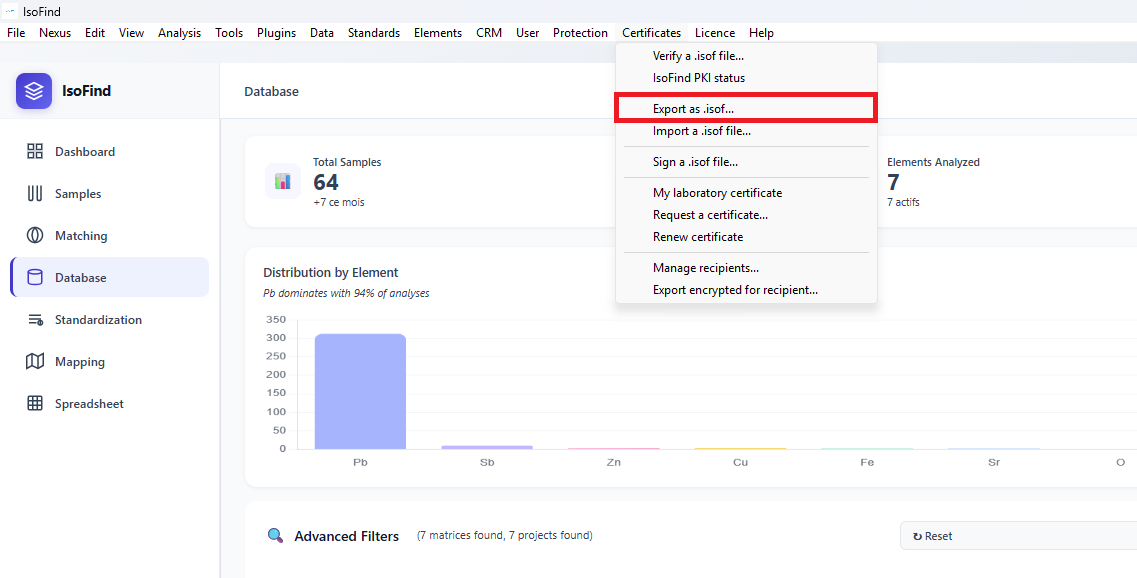 Figure 4: .isof export configuration interface.
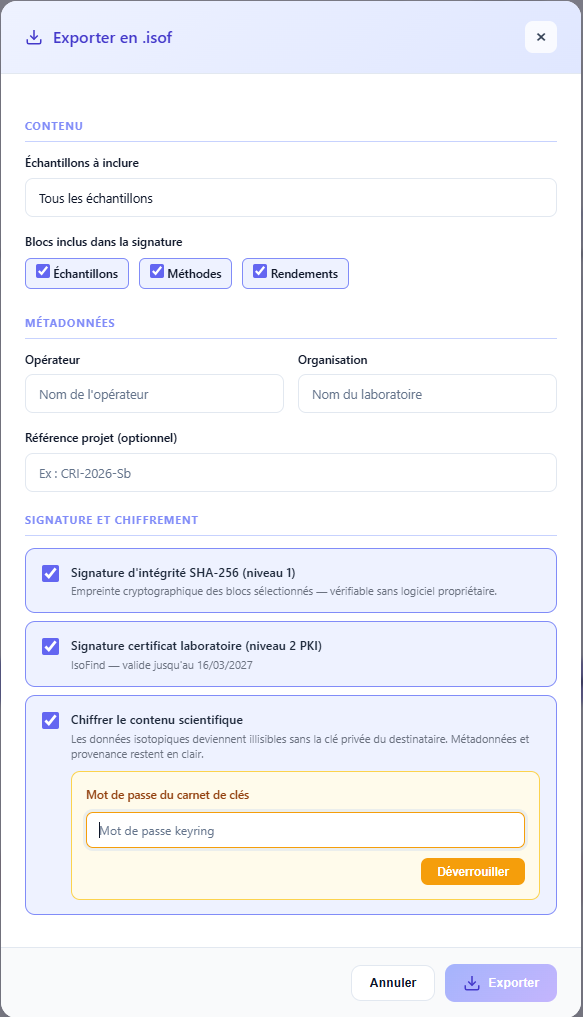
Enter your identity, laboratory and project reference. This information feeds into the document's digital signature.
Signature and encryption levels
| Level | Description |
|---|---|
| Level 1 | Integrity: protects the file against any post-creation modification. The recipient is immediately alerted if the data has been altered. |
| Level 2 | Authenticity: laboratory certificate via ECDSA PKI. Officially attests to the origin of the analyses and prevents any intellectual property misappropriation. |
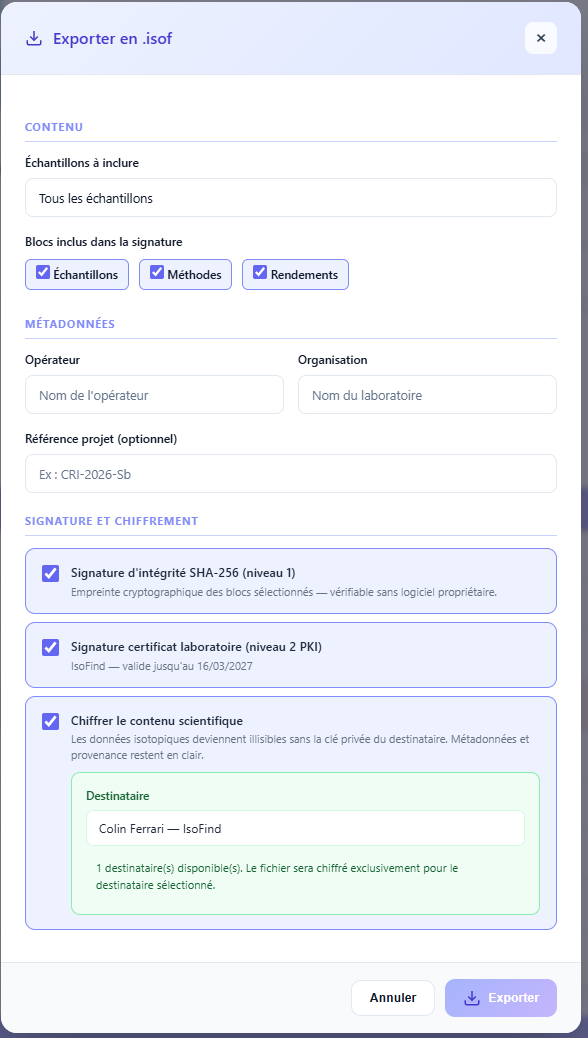
| Encryption | Confidentiality: asymmetric encryption for a specific recipient. Only the designated recipient can decrypt the content using their private key. |
For further details on the cryptographic mechanisms, see the Digital Signatures page.
Encryption and keyring management
To encrypt an export for a specific recipient, unlock the keyring from the export window, then select the contact from the trusted list. The file will be encrypted with the recipient's public key: only they will be able to decrypt it.
Configurable .isof Export
For advanced scientific exchanges, IsoFind offers a .isof export with granular control over the included data. This mode allows the complete analytical context to be embedded: methods, pipelines and purification steps linked to each sample.
Data
→
Manage samples
→
Export ISOF
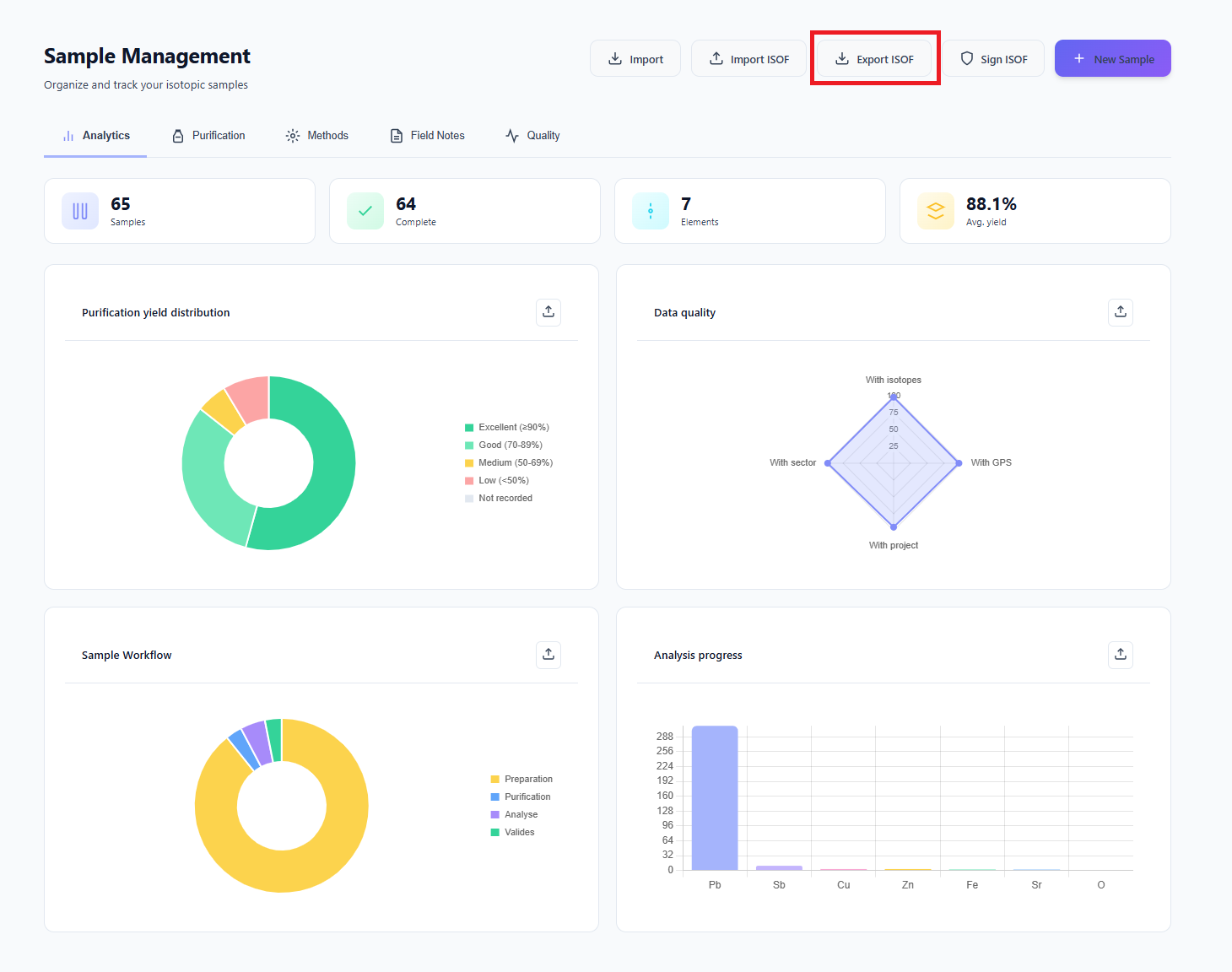 Figure 7: Accessing the configurable .isof export module.
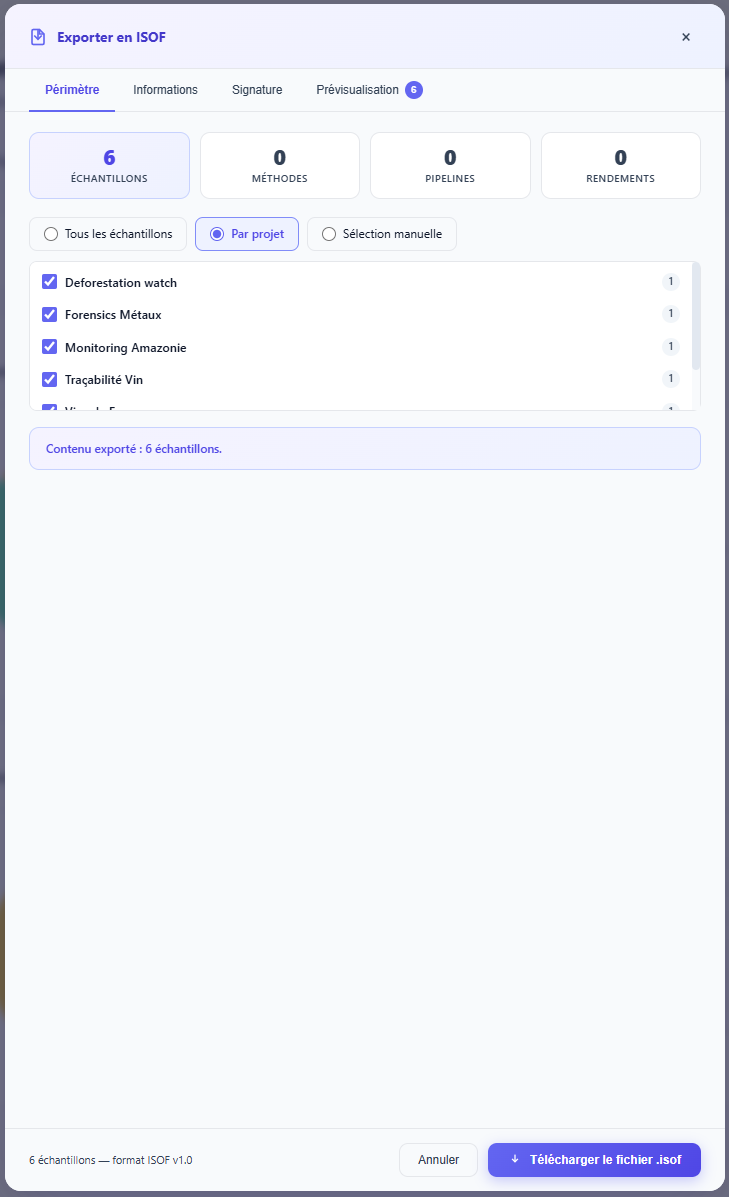
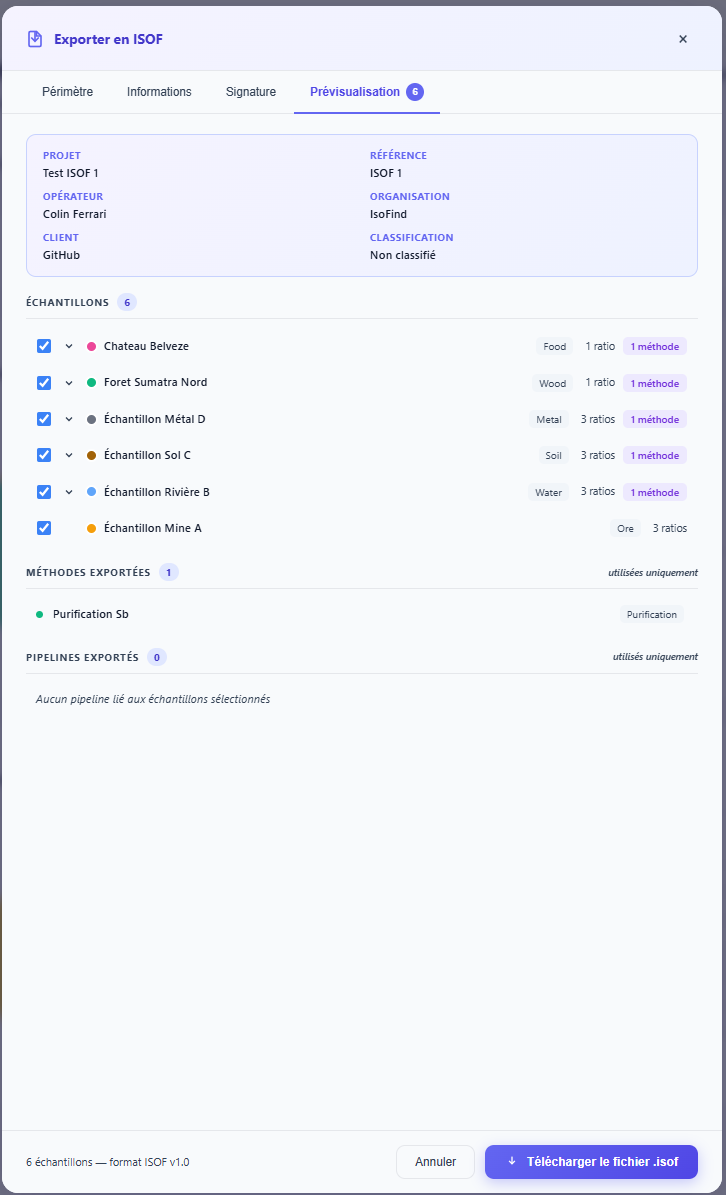
The preview screen (Figure 9) allows the consistency of the data to be verified before the file is generated. Fractionation methods and purification steps appear explicitly linked to each sample, making the produced file fully auditable end-to-end by the recipient.
A file exported in configurable mode constitutes a complete analytical passport. The recipient can audit every stage of the sample lifecycle, from collection to the final signature, without depending on IsoFind to reconstruct the context.