Wednesday, 1 April, 2026

Methods and Analysis Pipelines
IsoFind is an analytical integrity management system. It encapsulates the complete value chain, from cleanroom preparation through to final ratio validation, and embeds this documentation in every exported .isof file.
Analytical Workflow Tracking
Main platform
→
Samples tab
The main interface provides a global view of the inventory currently being processed, allowing you to track analysis progress and immediately identify protocol anomalies.
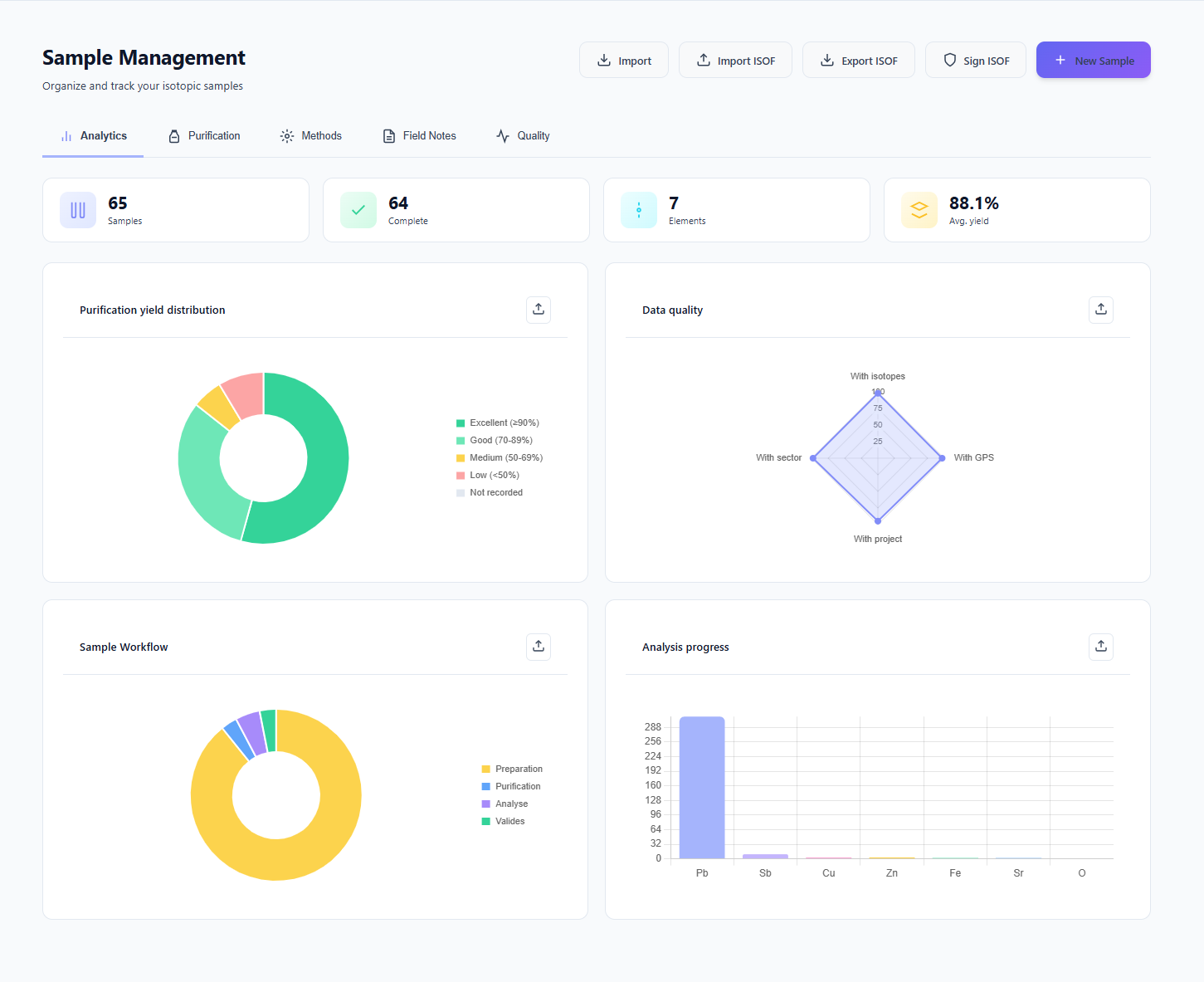 Figure 1: Dynamic sample workflow dashboard.
Purification Tracking and Yields
The purification phase is critical for the accuracy of isotopic signatures. IsoFind automates the evaluation of this step via an intelligent alert system.
- Status tracking: complete lifecycle: In preparation, In purification, In analysis, Validated.
- Automatic diagnostics: the engine evaluates purification quality from "Poor" to "Excellent" based on the ranges defined in the method.
- Smart masking: validated samples can be hidden to focus on active workflows.
Any purification yield above 105% triggers a potential contamination alert, immediately isolating the sample from the rest of the pipeline. This threshold is a non-configurable metrological safeguard.
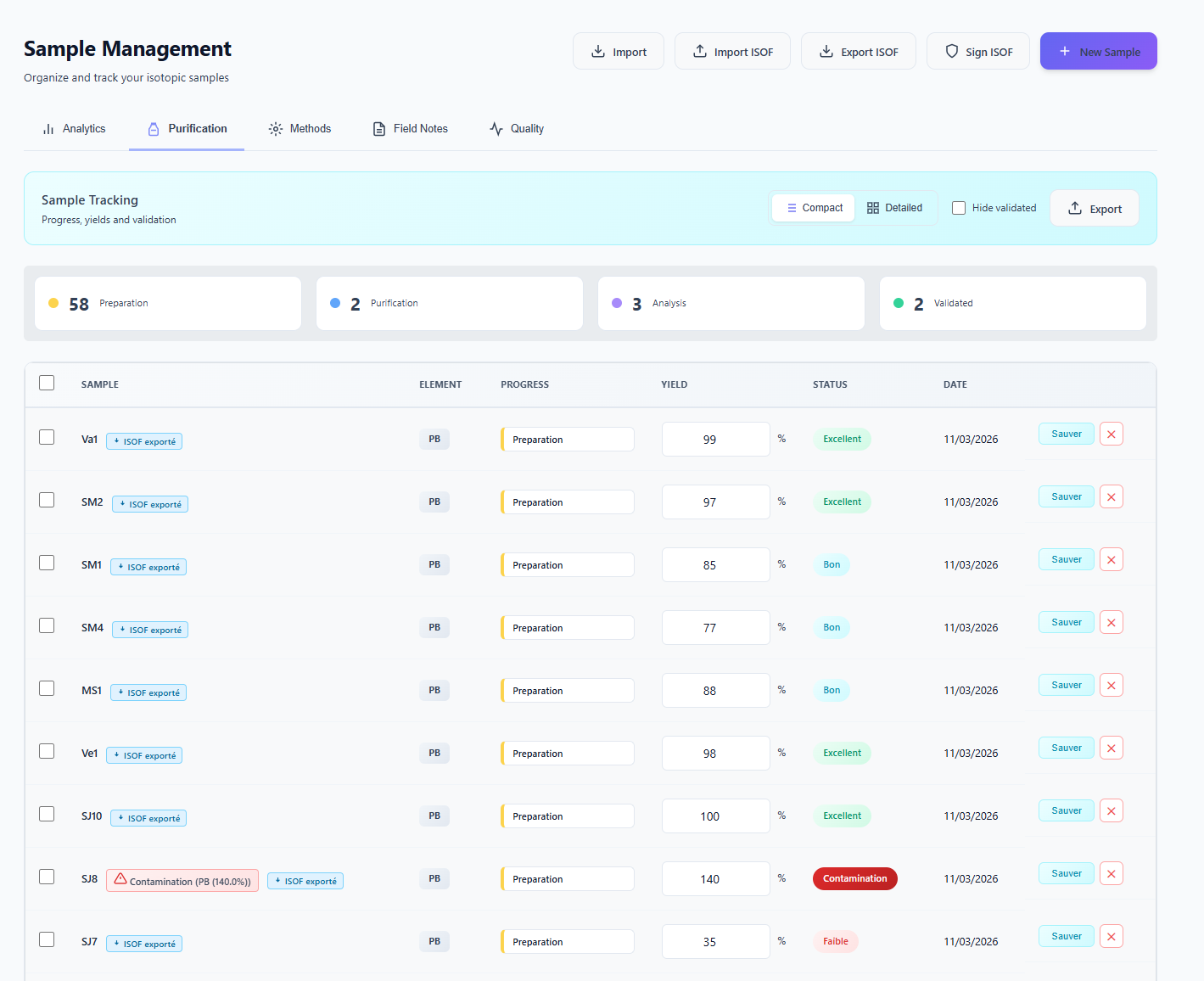 Figure 2: Yield alert: sample Sol C shows 191%, triggering a critical alert.
Method Library
The method library is the central repository for the laboratory's analytical expertise. It allows each protocol to be documented and permanently associated with the processed samples.
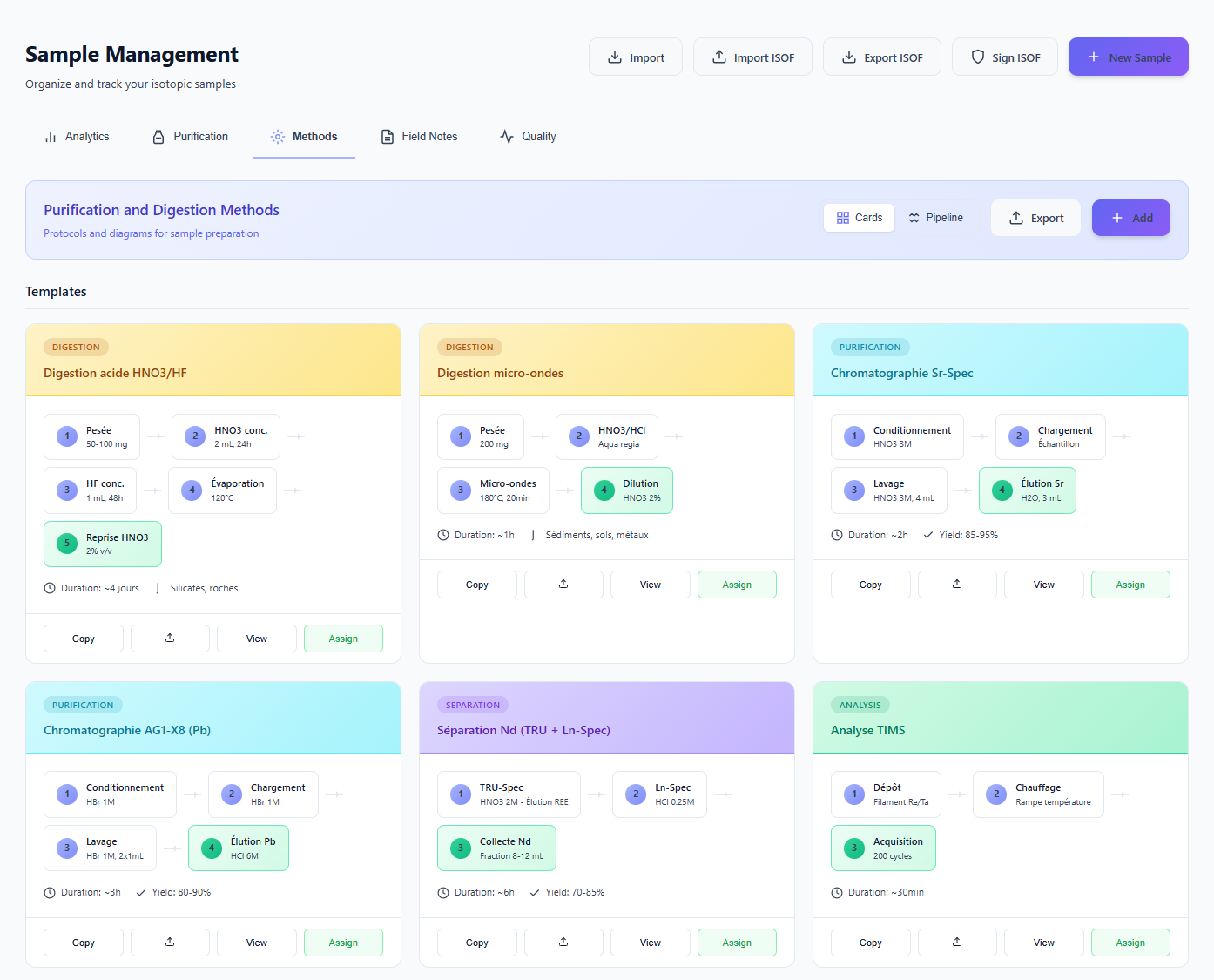 Figure 3: Method library overview.
Classification by protocol type
IsoFind uses a colour code for each major stage of the geochemical workflow to facilitate navigation:
| Colour | Type | Description |
|---|---|---|
| Yellow | Digestion | Sample preparation and dissolution. |
| Blue | Purification | Separation on ion exchange resins. |
| Purple | Separation | Element-specific purification steps. |
| Green | Analysis | Spectrometric measurements (TIMS, MC-ICP-MS, ICP-MS). |
Detailed protocol record
The detail view of a method provides complete transparency on operating conditions. This rigour is essential for laboratories wishing to issue uncontestable certificates of analysis.
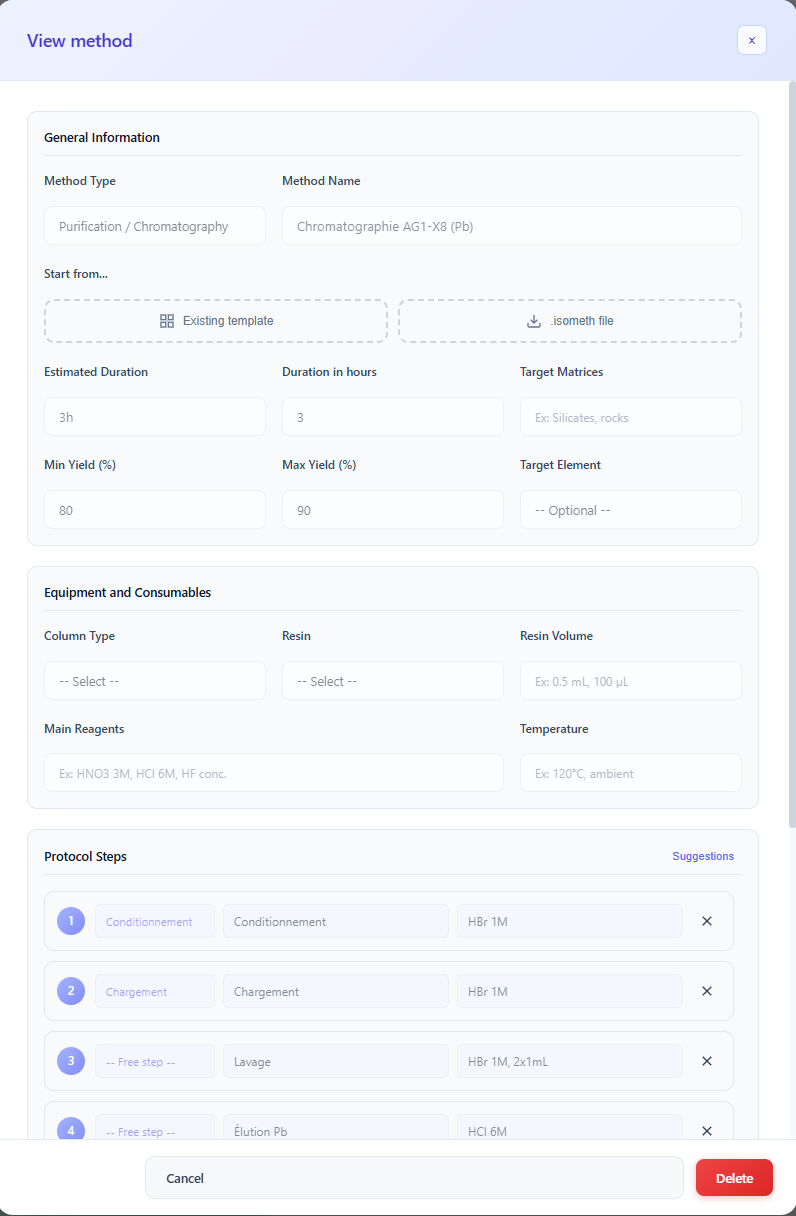 Figure 4: Detailed analytical protocol record.
Each record includes:
- Operating parameters: sample mass, acid volumes, instruments used.
- Expected metrics: estimated duration and theoretical yield ranges (used for automatic alerts).
- Academic validation: if the protocol is published, IsoFind displays the DOI and the full bibliographic citation.
When a client imports a .isof file generated by your laboratory, they automatically receive this method documentation. They can thus justify the quality of the analyses without any additional manual entry.
Creating and Importing Protocols
Methods
→
Add
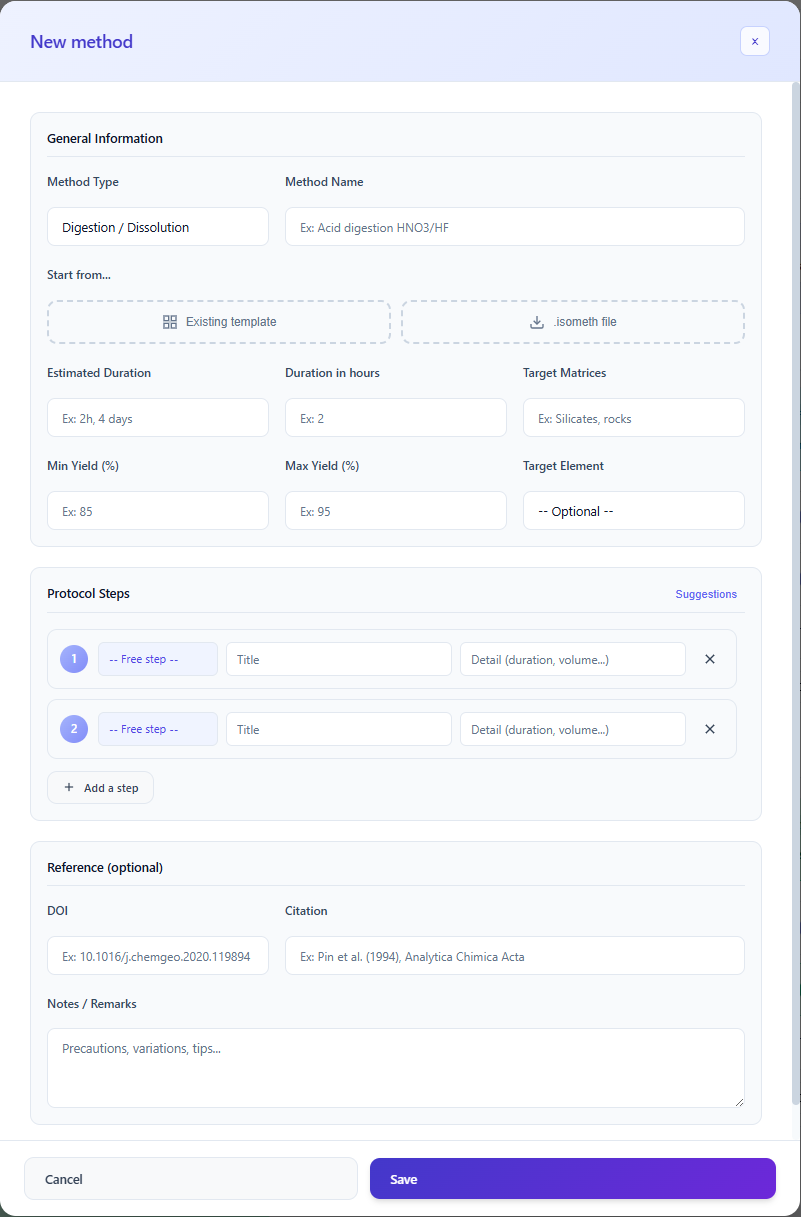 Figure 5: Analytical protocol creation and import options.
Three routes are available to enrich the library:
- Manual creation: define the protocol entirely field by field.
- Templates: start from a predefined structure and adapt only the specific variables.
- .isometh import: instantly integrate a method shared by a collaborator or partner.
The .isometh format (Isotopic Method) contains the complete protocol, bibliographic references and yield ranges. This lightweight file facilitates the sharing of analytical expertise between laboratories without exposing sample data.
Always fill in the expected yield ranges when creating a method. These values are what the software uses to generate automatic contamination or low-yield alerts in the purification dashboard.
Analysis Pipelines
A pipeline represents the complete technical itinerary of a sample, from its raw state through to its final isotopic signature. It is the ordered assembly of unit methods (Digestion, Purification, Separation, Analysis) that constitutes the complete traceability of the treatment.
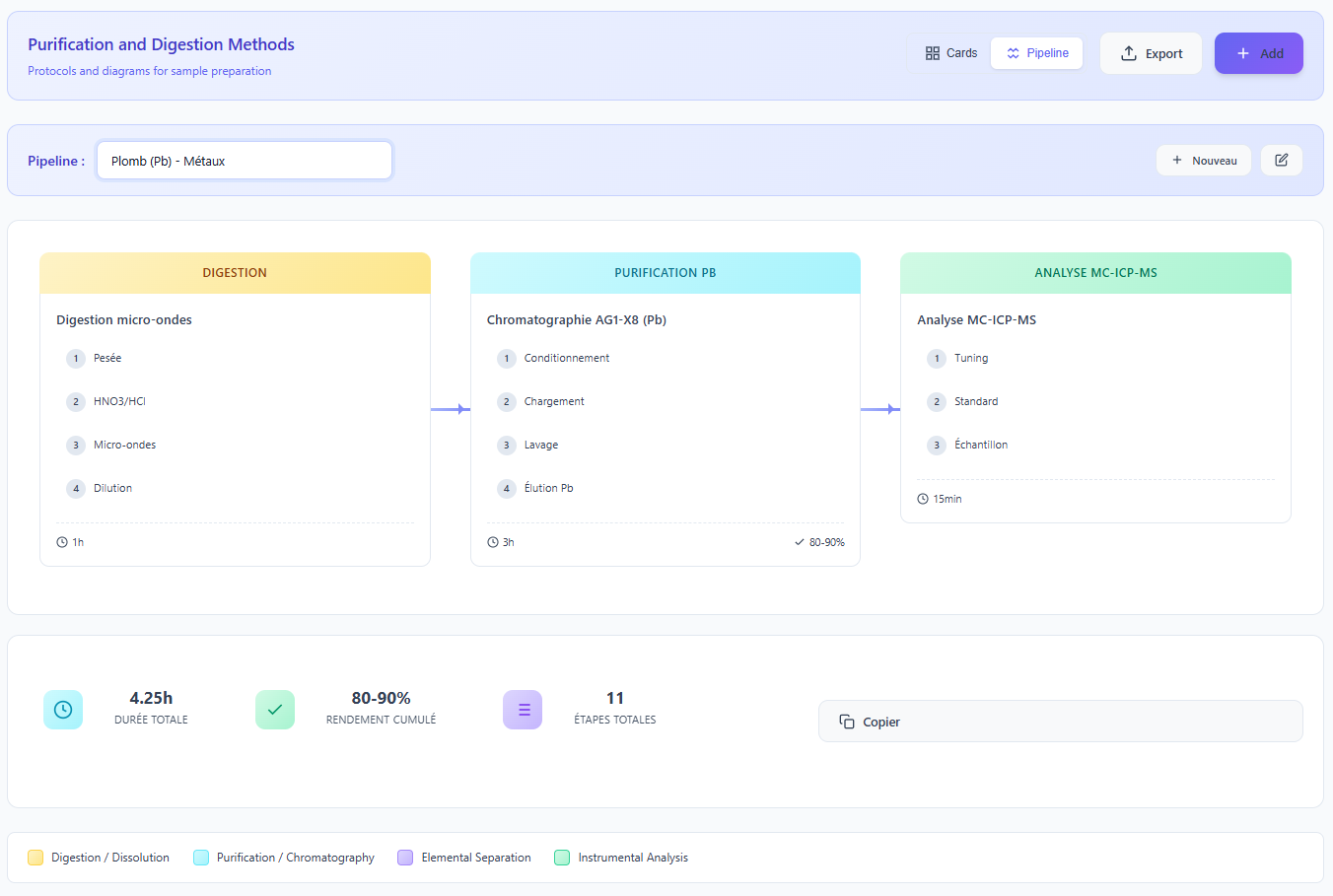 Figure 6: Example of a structured pipeline for Lead (Pb) analysis.
When exporting to .isof format, the pipeline is embedded with the samples. The recipient can thus directly visualise the analytical logic employed, without any additional input on your part.
Creating a new pipeline
Pipelines
→
New
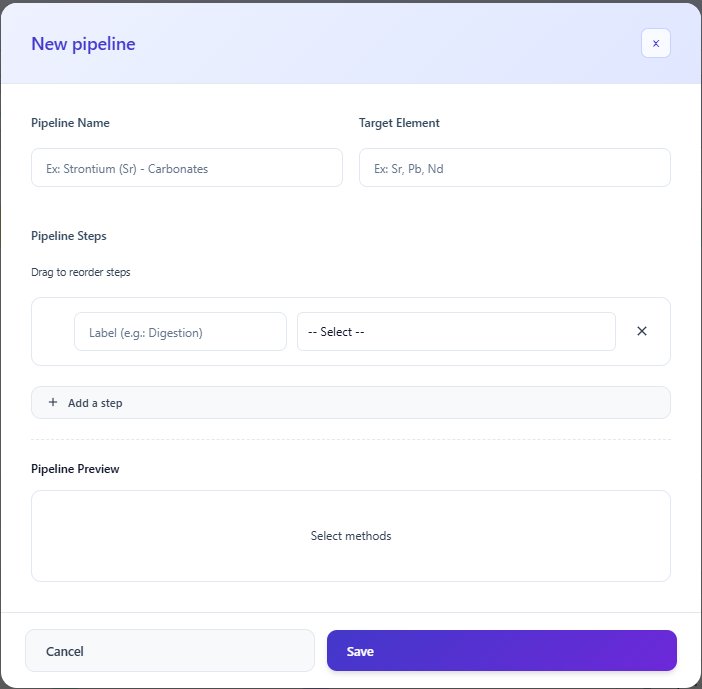 Figure 7: Pipeline editor by assembly of unit methods.
A pipeline can be assigned to hundreds of samples simultaneously. The software then automatically calculates the cumulative yields and estimated processing times for the entire batch, optimising laboratory planning.
Each pipeline stage retains a link to the original method and its DOI. Modifying a method in the library automatically updates all pipelines that use it, ensuring consistency of technical documentation.