Wednesday, 1 April, 2026

Correspondence Search
The correspondence module compares an unknown sample (or manually entered values) against the database references to identify the most probable sources. It uses multi-isotopic and multi-matrix approaches, with four algorithms to choose from.
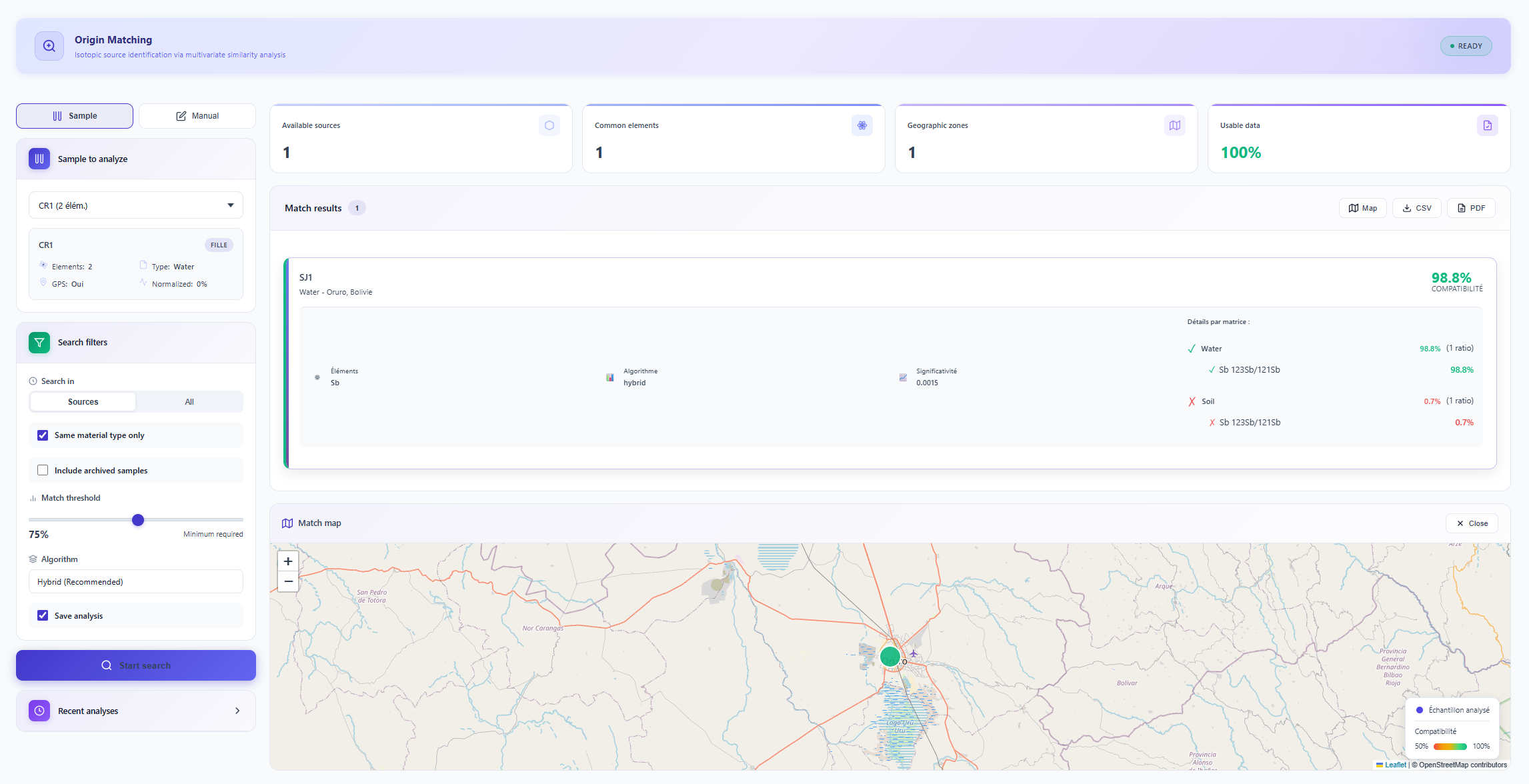 Figure 1: Correspondence search dashboard and compatibility results.
Comparison Algorithms
Four calculation methods are available depending on the nature of the data and the geochemical context:
| Algorithm | Principle | Recommended use |
|---|---|---|
| Mahalanobis distance | Takes into account correlations between isotopic variables. | Multi-element data with known correlations. |
| Weighted Euclidean | Geometric distance weighted by the analytical uncertainty of each ratio. | Simple comparisons, weakly correlated data. |
| Bayesian approach | Estimates the likelihood of an origin via conditional probabilities. | Contexts with a defined geochemical prior. |
| Hybrid (recommended) | Combines the three approaches with contextual geochemical weighting. | General use: default algorithm. |
Search via an Existing Sample
In the Sample to analyse tab, select a "daughter" sample. The dropdown menu lists available samples by material type. The engine automatically integrates all elements and matrices associated with that sample.
Only samples defined as daughters appear in this list. Source samples serve exclusively as geographic reference benchmarks. See the Importing Data page for the source/daughter classification.
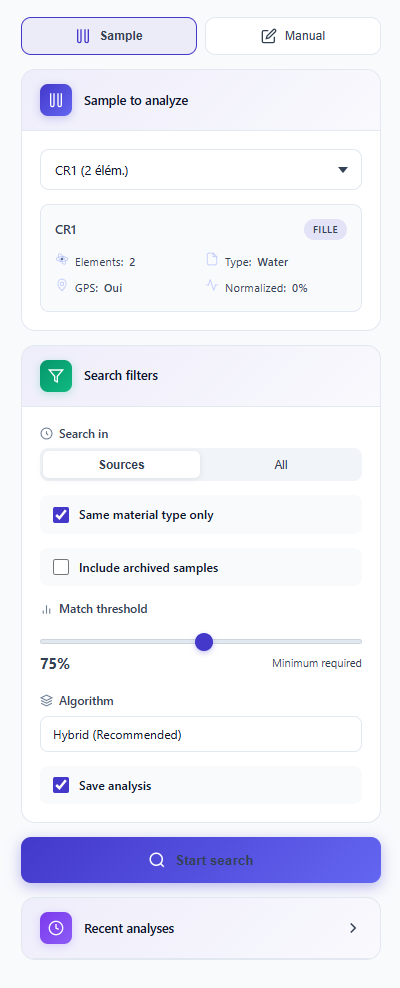 Figure 2: Daughter sample selection and filter configuration.
Advanced filters allow the precision of the analysis to be refined:
| Filter | Effect |
|---|---|
| Material type | Restricts the comparison to identical matrices (enabled by default). |
| Archives | Includes archived historical data in the search. |
| Correspondence threshold | Defines the algorithm sensitivity. A lower threshold increases the number of results but reduces specificity. |
| Algorithm | Selection of the calculation method (Mahalanobis, Hybrid, Bayesian, Euclidean). |
| Multi-element | Simultaneous comparison of multiple isotopic systems (e.g. Pb + Sr + Sb). |
Manual Search
If the sample is not yet registered in the database, the Manual tab allows isotopic values to be entered directly. For each entry, specify the element, ratio, measured value and associated analytical uncertainty. Multiple ratios can be added to create a complex multi-element fingerprint.
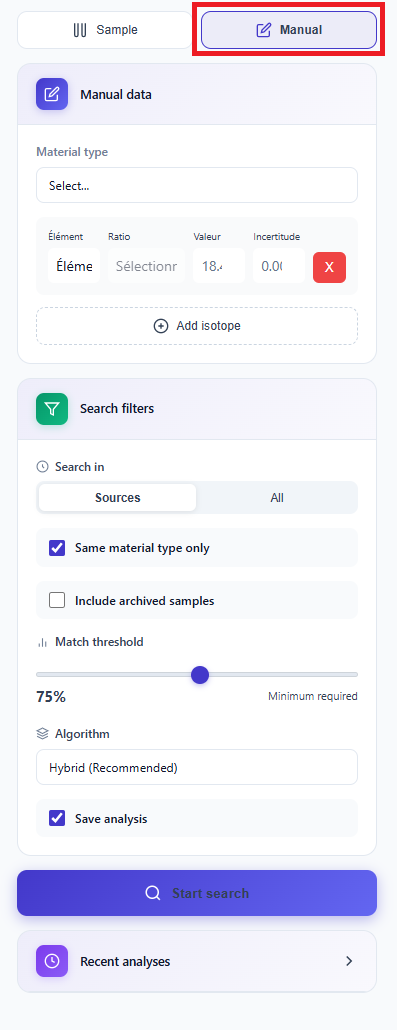 Figure 3: Manual multi-ratio entry interface.
Interpreting Results
Results are ranked by decreasing compatibility score. The interactive map displays correspondence points with a colour code relative to their score. The breakdown of affinity by element and by matrix provides complete transparency of the attribution.
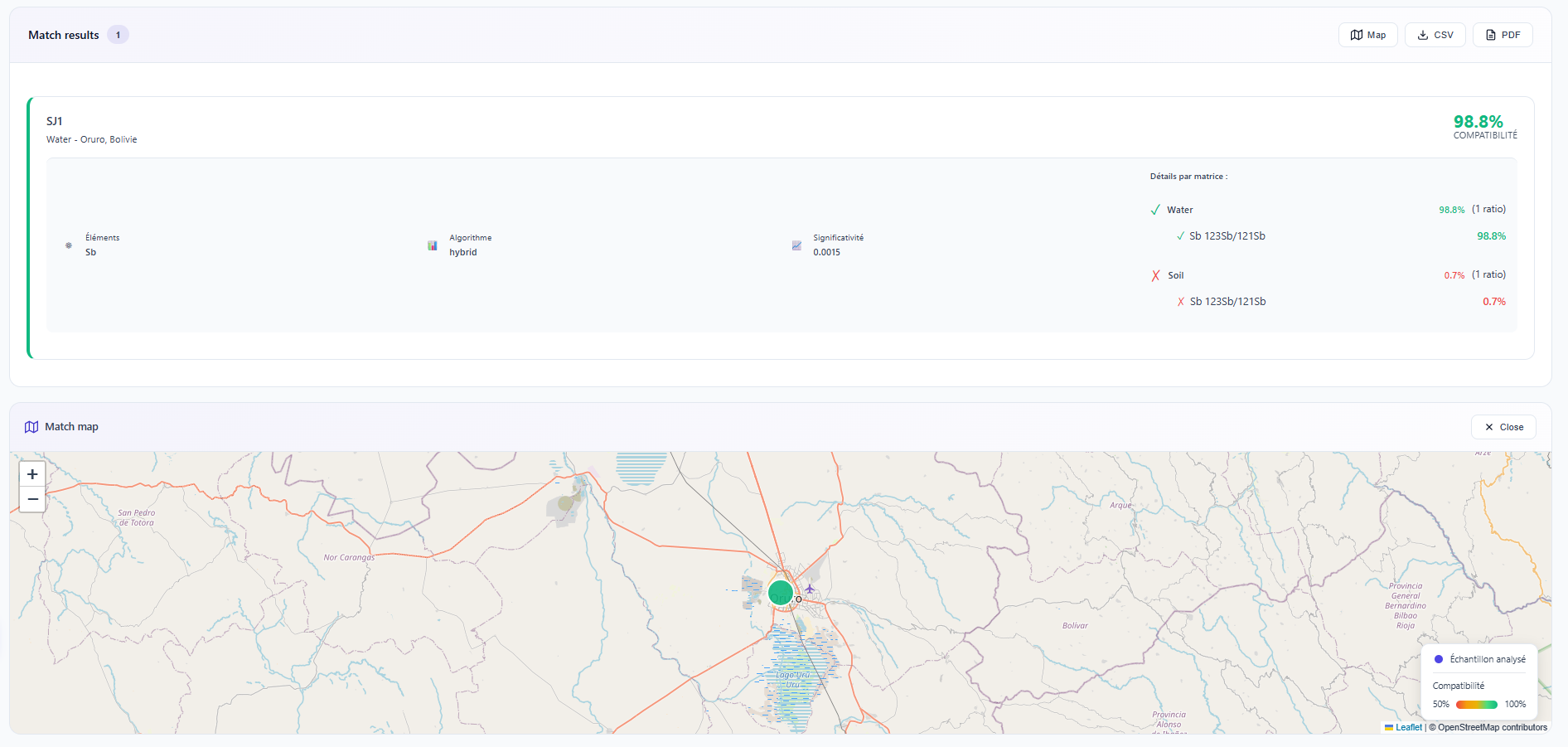 Figure 4: Multi-matrix diagnostic of a contamination source.
In the example above (mining contamination search), the algorithm compares the available matrices. Validating the link with the "Water" matrix rather than "Soil" allows the conclusion that the contamination vector is primarily hydrological, directly guiding remediation actions.